How to Set Up Bank Account Alerts (2026 Guide)
Key takeaways
- Turn on a short core set of alerts first: low balance, large withdrawals, new logins, debit purchases, and peer to peer sends, then add only what you will actually read.
- Set low balance thresholds high enough to act before rent or bills clear, not so low that the warning arrives after the damage.
- Push and SMS beat email for time sensitive fraud and balance warnings; email works better for weekly summaries and large deposits you want on record.
- Alert fatigue is real: too many noisy notices train you to ignore the one that matters, so prune daily.
- When an alert looks wrong, freeze the card, change the password, call the number on the back of the card, and follow Regulation E style error steps for unauthorized electronic transfers.
- Pair bank alerts with a monthly statement skim and a quiet credit check through tools such as WalletHub Premium so monitoring is a habit, not a panic response.
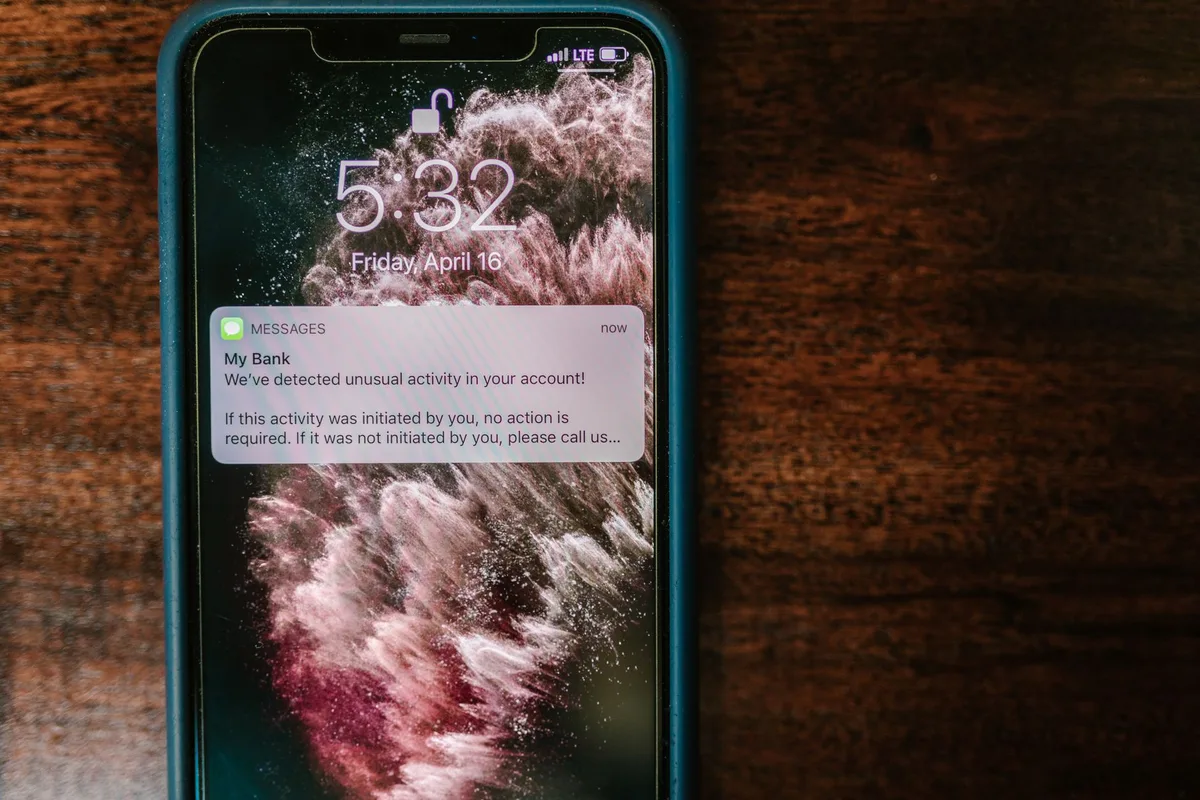
Most people find out something went wrong with their bank account after the damage is done. The overdraft fee already posted. The strange debit already cleared. The login from another state already succeeded. Bank account alerts flip that timeline. They turn silent problems into early warnings you can act on while the money is still mostly in place.
This 2026 guide walks through the alerts worth turning on, how to set thresholds that match real cash flow, how SMS, push, and email compare, and what to do the minute a notice looks wrong. You will also see how alert fatigue sneaks in, how to pair alerts with monthly monitoring habits, and how a few settings can prevent a year of avoidable fees. This is education, not personalized financial advice. Your bank app labels and options will differ, but the system is the same: fewer surprises, faster response, calmer money.
Why Bank Alerts Matter More Than Most People Think
A checking account is a live ledger. Direct deposits land. Rent drafts. Subscriptions renew. Peer to peer apps move money in seconds. Debit cards authorize holds that shrink available balance before the final charge settles. Without alerts, you only see the story when you open the app, which for many people means a few times a week at best.
Alerts are not a substitute for a budget. They are the smoke detector. A low balance notice does not create more income. It does buy you hours to transfer savings, pause a discretionary purchase, or call the bank before a cascade of overdraft fees. A new login alert does not stop every takeover. It can shrink the window a thief has to empty the account. A large withdrawal notice will not reverse a charge by itself. It can start the Regulation E style error process on the same day instead of next month.
Consumer agencies have long pointed people toward monitoring as a basic protection habit. The Consumer Financial Protection Bureau explains how bank accounts work, what overdrafts are, and what to do when you spot unauthorized electronic transfers. The Federal Deposit Insurance Corporation publishes consumer resources on deposit accounts and common banking problems. The Federal Trade Commission walks through identity theft response when account access is only one piece of a larger compromise. Alerts are the bridge between those official steps and your actual phone.
The Core Alert Set Most Households Should Enable
Banks and credit unions offer long menus. Ignore the full buffet at first. Turn on a short core set you will actually read, then expand carefully. The goal is signal, not a second job.
Low balance alerts
This is the single most useful everyday alert for fee prevention. When available balance drops below a number you choose, the bank texts, pushes, or emails you. Set the number high enough that you can still fund the account before automatic payments hit. Fifty dollars is often too late if rent is one hundred and fifty dollars away from clearing. One hundred to three hundred dollars is a common working range for many household checking accounts. Raise it the week big bills draft. Lower it only if the alert becomes background noise you swipe away.
Large deposit and large withdrawal alerts
Large deposit notices help freelancers, dual income households, and anyone who tracks cash flow carefully. They confirm that a paycheck, tax refund, or client payment actually landed. Large withdrawal or large debit alerts catch both real spending you forgot and stranger activity. Choose a dollar amount that is unusual for you. If your typical grocery run is one hundred dollars, a three hundred or five hundred dollar threshold may flag the odd purchase without firing on every coffee.
Debit purchase and ATM alerts
Some banks let you alert on every debit purchase. Others only support purchases above a threshold. Every transaction alerts work well for people who want a living log of spending and who can tolerate frequent pings. Threshold based alerts work better if you already review a spending app and mainly care about larger hits. ATM withdrawal alerts are especially useful if you rarely use cash. A surprise ATM notice is a classic fraud signal.
Online and mobile login alerts
New device, new browser, or login from a new location notices are takeover early warnings. Turn them on. Also enable alerts for password changes, email address changes, phone number changes, and added authorized users if those options exist. Account takeover often starts with credential stuffing or a phished password, then a quiet change of contact details so you never get the recovery messages.
Zelle and peer to peer payment alerts
Instant send tools move money that is hard to claw back. Enable notices for sends, receives, and new payees whenever the bank offers them. Treat an unexpected send alert as an emergency until proven otherwise. Scammers love social engineering that ends with a peer to peer transfer you authorized under pressure. An alert will not always stop the payment, but it can stop the second and third transfer while you lock the account.
Credit card due date and large purchase alerts
If your bank also issues a credit card, or if the same app manages both products, turn on payment due reminders and large purchase notices. Due date alerts reduce late fees and protect payment history. Large purchase alerts help you catch a stolen card number early. These are not deposit account alerts in the pure sense, but they live in the same monitoring habit and belong on the same checklist.
How to Set Alerts Up Inside Your Bank App
Exact menus differ by bank, but the path is usually short. Open the official mobile app or website from a bookmark you trust. Sign in with multi factor authentication if available. Find Settings, Profile, Security, or Notifications. Look for Account alerts, Alert preferences, or Manage alerts. Select each account you care about. Checking first. Savings second if it can be drained by transfer. Credit cards third if the bank hosts them in the same app.
For each alert type, choose the channel, the threshold when relevant, and whether the notice is on or off. Save the settings. Then force a test if the bank allows it, or create a safe test such as a small transfer between your own accounts to confirm a large deposit or transfer alert fires. Add the bank short code to your contacts so SMS notices do not look like spam. Keep phone OS permissions open for the bank app if you rely on push.
If you have joint accounts, confirm who receives which alerts. One partner may want low balance. Both may want login and fraud style notices. Do not assume the primary owner is the only person who needs the signal. Also check business accounts separately. Small business fraud often starts with invoice scams and unauthorized ACH, and those accounts sometimes ship with fewer default alerts than consumer checking.
Thresholds That Match Real Cash Flow
Bad thresholds create two failure modes. Too low, and the warning arrives after the overdraft. Too high or too sensitive, and you mute the channel. Build thresholds from your calendar, not from a round number that sounds careful.
Start with your next fourteen days of automatic payments. List rent or mortgage, utilities, insurance, loans, subscriptions, and expected card autopays that draft checking. Note the largest single draft and the heaviest day. A practical low balance floor is often the largest near term draft plus a small buffer, or a few days of ordinary spending, whichever is higher for your life. If rent is two thousand dollars and clears on the first, a two hundred dollar alert on the thirtieth may not save you. A one thousand five hundred dollar alert a few days earlier might.
For large purchase alerts, think about what would surprise you. Parents of teens with debit cards may set a lower threshold on the teen account than on their own. Travelers may temporarily raise thresholds when they expect hotel holds. After a fraud event, temporarily lower the large purchase threshold for two weeks, then return to normal once the card is reissued and the noise settles.
Remember available balance is not always the same as ledger balance. Pending debits and merchant holds can make available balance drop even when the final amount later changes. Alerts based on available balance are usually the useful ones for fee prevention. If your bank explains the difference in its help center, read that page once so a scary low balance notice does not feel like a glitch when it is really a hotel hold.
SMS vs Push vs Email: Pick Channels on Purpose
Banks often let you mix channels. Use that flexibility. Match the urgency of the alert to the speed of the channel, and match the archival value of the alert to email when you want a searchable trail.
Push notifications arrive on the lock screen when the app is installed and permissions are open. They are excellent for low balance, login, and fraud style events if you check your phone often. They fail if you disabled notifications, force closed the app on some phones, or replaced your device without reinstalling.
SMS text alerts still work when data is poor and when you are not logged into the app. They are strong for travel and for people who ignore app icons. Weaknesses include phone number changes, carrier delays, and phishing texts that imitate the bank. Never treat a text link as the login door. Open the app yourself.
Email alerts are slower for many people and easy to bury under promotions. They shine for large deposits, weekly summaries, statement ready notices, and anything you may need to forward later. If email is your only channel for fraud alerts, consider adding push or SMS. If email is flooded, create a filter that stars messages from the bank domain so the important ones do not vanish.
A simple channel map works for most people. Low balance, large withdrawal, debit over a threshold, login, password change, and peer to peer sends go to push plus SMS if available. Large deposits and statement ready notices can be email only. Credit card due date can be push plus email. If your life is already noisy, choose one primary real time channel and one backup, not every box checked for every event.
Fraud Response: What to Do When an Alert Looks Wrong
Speed and process both matter. A wrong step can hand a scammer a second chance. Use this order when a login, purchase, ATM, or peer to peer alert does not match your activity.
1. Do not interact with the message itself. Do not click the link. Do not call the number printed only in the text or email. Do not reply YES or STOP to a suspicious thread that claims to be the bank unless you already know that short code is legitimate from a prior real relationship with the bank.
2. Open the official app or website yourself. Use the icon on your home screen or a bookmark you created earlier. If the app will not open, call the number on the back of your debit card or on a paper statement.
3. Freeze or lock the debit card if the bank offers one tap control. Many apps now let you freeze a card instantly. That stops most new swipe and online debit use while you investigate. Freezing is not always the same as closing the account or stopping every ACH, so still complete the remaining steps.
4. Change the password and review security settings. Use a strong unique password and turn on multi factor authentication if it is not already on. Check whether the email, phone number, or mailing address was changed. Check whether new payees or external transfer destinations were added.
5. Report unauthorized electronic transfers promptly. Under the federal framework commonly discussed as Regulation E for consumer electronic fund transfers, timely notice matters. The CFPB explains that if you find an unauthorized transaction or error on your bank statement, you should contact the bank quickly and follow its error resolution process. Ask for a claim number. Write down dates, amounts, and what the representative said. Keep screenshots of the strange charges.
6. Broaden the response if personal data was exposed. If the same breach involved a stolen Social Security number, a phishing site where you typed credentials for multiple accounts, or mail theft, use the FTC identity theft recovery steps at IdentityTheft.gov. Consider a credit freeze and fraud alerts with the credit bureaus. For the credit monitoring side of the habit, a quiet check through WalletHub Premium can help you see scores, utilization, and credit style alerts while you clean up the bank side. That is situational awareness, not a substitute for calling the bank.
Authorized scam transfers are harder than pure card number theft. If you sent money because someone posed as tech support, a romance interest, or a boss over email, tell the bank immediately and be precise about the social engineering. Recovery is not guaranteed. Early reporting still matters, and it may help stop further attempts on the same account.
Link Alerts to Real Monitoring Habits
Alerts fail when they are the only line of defense. Build a light routine around them so the system stays healthy.
Weekly five minute skim. Open the app once a week even if no alert fired. Scan for unfamiliar merchants, duplicate charges, and transfers you do not recognize. Pending items deserve a glance too, because they affect available balance.
Monthly statement pass. When the statement is ready, confirm that fees, interest, and recurring merchants still make sense. Total any bank fees for the month. If low balance alerts fired repeatedly, the fix is cash flow timing or a buffer, not more alerts.
Quarterly settings check. Confirm phone number, email, and alert channels still match your life. After a new phone, new carrier, or new email address, retest. People often lose SMS alerts for months after a number port and never notice until fraud hits.
Separate roles for tools. Bank alerts watch the account. A budgeting app categorizes spending. Credit monitoring watches loans and cards. A password manager reduces takeover risk. None of these replace each other. If your emergency cash still sits in a low yield checking account that keeps you one impulse purchase from alerts, consider parking the true buffer in a high-yield savings account and linking it for transfers so low balance warnings have somewhere to pull from.
Alert Fatigue: The Quiet Failure Mode
Too many notices train the brain to ignore the channel. That is how people miss the one fraud alert that mattered. Fatigue usually comes from one of four mistakes.
Every swipe alerts with no threshold. Fine for a week while you learn your spending. Exhausting as a permanent setting for high velocity debit users. Switch to a threshold once you trust the pattern.
Low balance set at zero or near zero. The alert fires only when it is already too late, then becomes a shame ping instead of a planning tool. Raise the floor.
Duplicate channels for low urgency events. Statement ready and marketing style product tips do not need SMS, push, and email. Demote them to email or turn marketing off entirely.
Shared phones and noisy lock screens. If your lock screen is a storm of social apps, bank push can vanish. Give the bank app a high priority notification channel on Android if available, or keep SMS as the fraud channel.
Audit monthly for thirty days if you feel numb. Count how many alerts you received. Count how many caused a real action. Delete or raise thresholds on anything that never changes your behavior. Keep anything that once saved you from a fee or a strange charge. The right number of alerts is the smallest set that still changes outcomes.
What Alerts Can Prevent in Dollar Terms
Think in annual drag, not single pings. Suppose a household avoids three overdraft fees at about thirty five dollars each because low balance alerts triggered same day transfers. That is one hundred five dollars. Suppose one early login alert stops a thief before a nine hundred dollar fraud withdraw, and the bank still has to investigate, but the working capital never leaves for weeks. Suppose two late fee situations on a bank card are avoided with due date reminders at about forty dollars total. None of these numbers are guarantees. They are the kind of ordinary wins alerts are built for.
Now reverse the story. Without alerts, the same household might pay those three overdrafts, miss the fraud for a full statement cycle, and take the late fees. The money is not only the fees. It is the time spent on disputes, the stress, and the temporary hole in the budget. If you want a clearer picture of how a fee free buffer grows once you stop leaking cash, use the interactive calculator below. Set a monthly expense level, a target number of months, what you already have saved, and what you can add monthly. Treat the monthly save amount as money that used to disappear into preventable bank friction.
Special Situations Worth Configuring
Students and first accounts. Start with low balance, every debit or a low debit threshold, and login alerts. Parents who co own or monitor should get the same fraud style notices when the bank allows it.
Travel. Tell the bank about travel if required, freeze cards you leave at home, and keep login and large purchase alerts on. International roaming can delay SMS. Push over Wi Fi may work better in hotels. Download the offline account number and bank phone before you fly.
Small business owners. Enable ACH debit alerts, wire alerts, and new payee alerts if offered. Invoice redirection fraud and business email compromise are common. Separate personal and business alert emails so a flooded inbox does not hide a ten thousand dollar wire notice.
Caregivers and older relatives. Set alerts on the accounts you help manage, with the relative permission and bank rules in mind. Login and large withdrawal notices are often more important than fine grained purchase spam. Pair alerts with a simple written plan for who calls the bank if something looks wrong.
Multiple banks. Do not assume one app covers everything. Credit unions, online banks, and neobanks each need their own pass. Keep a short checklist: low balance, large out, login, P2P, password change.
A 20 Minute Setup Plan You Can Finish Today
Block a short window and treat it like changing smoke detector batteries.
Minutes 1 to 5. List every deposit account and bank card you use. Mark which ones can move money quickly.
Minutes 6 to 12. In each official app, enable low balance, large withdrawal or large debit, login, password or contact change, and peer to peer send alerts. Set a low balance number based on the next big bill cycle.
Minutes 13 to 16. Choose channels. Real time risk to push and SMS. Deposits and statements to email. Turn off marketing if it is mixed into the same menu.
Minutes 17 to 20. Freeze test on a card if available, confirm the phone number on file, and write the bank phone numbers on a paper card in your wallet. Optional: calendar a quarterly five minute alert review.
If you share finances, do the setup together once so both people know what a given alert means and who acts first after hours.
The Bottom Line
Bank account alerts are one of the highest leverage free tools in personal finance. They will not replace a budget, an emergency fund, or careful password hygiene. They will shrink the time between a problem and your response. Start with a small core set, set thresholds from your bill calendar, match channels to urgency, and practice the fraud response so the first real scare does not freeze you.
Then keep the system honest. Prune noise. Retest after phone and email changes. Skim the account even when the week was quiet. When an alert saves you from a fee or flags a charge that is not yours, you will feel why the setup afternoon was worth it. Silent accounts favor the thief and the fee schedule. A tuned alert stack favors you.
Banks profit from what their customers do not know.
Every fee, teaser rate, and disclosure is a test you are taking whether you study or not. The Financial IQ Test scores your real money knowledge across 90 tests and shows you the gaps before a bank finds them first.
Test your Financial IQQuestions people ask
Which bank account alerts should I turn on first?
Start with low balance, large withdrawal or debit purchase above a set amount, online or mobile login from a new device, password or email change, and peer to peer or Zelle style sends. Add large deposit notices if you track income carefully. Add credit card payment due and large purchase alerts if your bank card product offers them. Expand only after the core set is working without noise.
What is a good low balance alert threshold?
Pick a number that still leaves time to move money before automatic payments hit. Many households use one hundred to three hundred dollars for everyday checking, or roughly a few days of typical spending. If rent and utilities clear early in the month, set a higher floor the week before those drafts. Raise the threshold if you keep getting overdrafts. Lower it only if the alert fires so often you stop reading it.
Are text alerts safer than email for bank notices?
SMS and app push usually reach you faster, which helps for fraud and overdraft risk. Email is easier to search later and works well for deposits and weekly digests. No channel is perfect. Phishing texts and fake emails both exist, so never click a link in a surprise message to log in. Open the official app or type the bank URL yourself after any alert that looks urgent.
What should I do the moment I get a fraud style alert?
Do not reply to the message or call a number inside it. Open your bank app from the home screen, lock or freeze the debit card if available, change the password on a trusted device, and call the customer service number printed on your card or statement. Ask for a fraud review, document unauthorized charges, and follow the bank error resolution process for electronic transfers. Report identity theft at IdentityTheft.gov if your personal data was also exposed.
Why do I still get overdraft fees even with alerts on?
Alerts only help if the threshold is high enough, the channel is one you see in time, and you still have a path to fund the account. Pending charges, authorization holds, and weekend posting can shrink available balance faster than you expect. Pair alerts with a small buffer you treat as zero, linked savings if available, and a clear plan for which bills leave checking automatically.
How often should I review my alert settings?
Check them when you open an account, after a job or rent change, after any fraud event, and at least once a year. Life changes break old thresholds. A raise, a new car payment, or a side hustle deposit pattern can make last year settings too quiet or too noisy. A five minute review after you skim your annual fee total is usually enough.
Keep reading
Never Pay a Bank Fee Again: The Complete Playbook
CD Ladders Explained: Lock In Rates Without Locking Up Your Life

The Emergency Fund Guide: How Much, Where, and How Fast
The Flourish Letter
One smart money idea each week, charts included. Join free and get the printable 2026 Money Calendar in your welcome email.