How Mobile Check Deposit Works, Start to Finish

Key takeaways
- Mobile check deposit uses remote deposit capture, which turns photos of the front and back of a check into an electronic image your bank can process without the paper.
- You must endorse the back, and many banks now require you to write for mobile deposit only under your signature or your deposit can be rejected.
- Federal Regulation CC sets the rules for how quickly banks must make deposited funds available, and mobile deposits often carry longer holds than in-person ones.
- Deposits get rejected most often for blurry photos, a missing or wrong endorsement, going over your deposit limit, or a check that is stale or already deposited.
- Keep the paper check for a couple of weeks after the deposit clears, then shred it, so you have proof if anything goes wrong.
- For a check you need cashed instantly or one that is too large for your mobile limit, an in-branch or ATM deposit is still the better tool.
There is a small thrill the first time you deposit a check without leaving your couch. You get a check in the mail, open your bank app, take two photos, and a moment later the money is on its way into your account. No drive to the branch, no ATM envelope, no waiting in line on your lunch break. Mobile check deposit has quietly become one of the most useful banking features most people never think about, right up until a deposit gets rejected or a hold appears and they realize they have no idea how it actually works.
This guide clears that up completely. We will walk through the technology behind mobile deposit, the exact step by step process for depositing a check with your phone, the endorsement rules that trip so many people up, how deposit limits and hold times work under federal law, why deposits get rejected and how to avoid it, the safety and fraud angles you should know, what to do with the paper check afterward, and when an old-fashioned trip to the bank is still the smarter move. By the end you will handle any check with confidence.
What Mobile Check Deposit Actually Is
Mobile check deposit lets you pay a paper check into your bank account using nothing but your phone and your bank's app. Instead of handing the physical check to a teller or feeding it into an ATM, you photograph the front and back, confirm a few details, and submit. The bank receives digital images of the check and uses them to collect the money from the account it was drawn on, all without the paper ever changing hands.
The formal name for this is remote deposit capture, often shortened to RDC. Businesses used it for years with special check scanners before smartphones put a good camera in everyone's pocket. Today the phone is the scanner, and the same underlying process that banks built for corporate clients now runs quietly inside the consumer app on your home screen. It is the reason a check someone wrote you can turn into spendable money without either of you doing anything physical with the paper.
How Remote Deposit Capture Works Behind the Scenes
Understanding the plumbing makes everything else easier, especially the part where deposits get rejected. Here is what happens after you tap submit.
The chain of events starts with your photos. When you capture the front and back of the check, the app is doing more than taking a picture. It reads the numbers printed along the bottom, the routing number that identifies the paying bank and the account number of whoever wrote the check, using the same kind of character recognition banks have used for decades. It checks that the image is sharp enough, that all four corners are visible, and that the amount you typed matches what it can read. That is why a blurry photo or a folded corner gets kicked back before the deposit even leaves your phone.
Once the images pass those checks, your bank creates an electronic version of the check, governed by a federal law from 2004 known as the Check Clearing for the 21st Century Act, or Check 21. That law made a digital image of a check legally equivalent to the paper original, which is the entire reason mobile deposit is possible. Your bank then sends that image through the check clearing system to the paying bank, which verifies the account has enough money and moves the funds. The paper check has done its job the moment you photograph it. Everything after that is data moving between banks.
This is also why banks apply holds. Your bank credits your account based on the image before it has actually collected the money from the other bank, so it carries a short window of risk that the check will bounce. Holds and deposit limits are simply the tools banks use to manage that risk, which we will cover in detail below.
How to Deposit a Check With Your Phone, Step by Step
The actual process takes about a minute once you know the rhythm. Here is the full sequence, including the details that keep a deposit from failing.
First, open your bank's official app and find the deposit feature. It is usually labeled Deposit, Deposit Check, or Mobile Deposit, often under a menu or a plus button. Make sure you are in your own bank's real app, not a link someone sent you, and that you are on a connection you trust.
Second, choose the account you want the money to land in and type the check amount. Enter the amount exactly as written on the check, down to the cents. The app compares your number against what it reads from the image, so a mismatch here is a common reason for rejection.
Third, endorse the back of the check properly. Sign your name in the endorsement box, and if your bank requires it, write for mobile deposit only underneath your signature. Many banks now reject deposits that are missing this restrictive endorsement, so treat it as mandatory unless your bank clearly says otherwise. We cover the exact wording in the next section.
Fourth, photograph the front and then the back. Lay the check flat on a dark, plain surface in good, even light. Line up the check inside the guide frame so all four corners are visible, hold the phone steady and parallel, and let the app capture it. Avoid shadows, glare, and busy backgrounds, since those are the enemies of a clean image.
Fifth, review and submit. Confirm the account, the amount, and that both images are sharp and complete, then submit the deposit. You will usually get an on-screen confirmation and often an email or text. That confirmation is worth saving until the funds fully clear.
Endorsement Rules and For Mobile Deposit Only
The endorsement is the single most common thing people get wrong, and it is the easiest to get right once you know the rule. To endorse a check simply means to sign the back so the bank knows you authorize the deposit. On the back of every check there is a short set of lines, usually marked as the endorsement area, reserved for exactly this.
For a mobile deposit, sign your name there the way it appears on the front of the check. If the check is made out to Robert Smith but you go by Bob, sign Robert Smith. Then, on the line beneath your signature, write for mobile deposit only. That short phrase is what banking calls a restrictive endorsement. It tells the bank the check may only be deposited electronically into your account, and it cannot be cashed or deposited any other way.
Why does that phrase matter so much? Two reasons. First, more and more banks now require it and will simply reject a mobile deposit without it, so leaving it off wastes your time. Second, it protects you. If the paper check somehow ended up in the wrong hands after you deposited it, the restrictive endorsement makes it far harder for anyone to deposit or cash it again. Some banks make this even simpler by printing a small check box on the back that says something like check here for mobile deposit. If yours does, tick that box in addition to signing. When in doubt, sign and add the phrase. It never hurts to include it and it often prevents a rejection.
Deposit Limits and Why They Exist
Almost every bank caps how much you can deposit by phone, both per day and per month, and sometimes per single check. The limits vary widely. A newer account might be capped at a few thousand dollars a day, while a long-standing account in good shape might allow tens of thousands. Banks rarely advertise the exact numbers, but you can usually find yours in the app's deposit section or by asking customer service.
These limits are not there to annoy you. Because the bank often makes part of the money available before it has collected the funds, a mobile deposit carries more risk than handing cash to a teller. Limits keep that risk contained, especially on accounts without much history. The good news is that limits typically rise on their own as your account ages and you build a track record of clean deposits. If you have a one-time check that is larger than your limit, you have options. You can deposit it at a branch or ATM, split the timing across days if the limit is daily, or call your bank and ask them to raise your limit for that deposit. Many will, especially for an established customer.
Hold Times and Funds Availability Under Regulation CC
This is where most of the confusion and frustration lives, so it is worth understanding clearly. When your deposit says it will be available on a certain date, that timing is shaped by a federal rule called Regulation CC, which sets the maximum amount of time a bank can make you wait for deposited funds. It is enforced through the Federal Reserve, and the Consumer Financial Protection Bureau explains it in plain terms for consumers.
Here is the general shape of the rules for most personal checks. At least the first $225 of a deposit must be available by the next business day. The next portion, up to a few thousand dollars, is generally available within one business day of that, and the remainder within two business days for most local checks. Business days mean weekdays that are not federal holidays, and any deposit made after the bank's daily cutoff time counts as the next business day. So a check deposited Friday evening might not start its clock until Monday.
Two things about mobile deposits specifically are worth knowing. First, banks often apply longer holds to mobile deposits than to the same check handed to a teller, because they treat remote deposits as slightly higher risk. Second, the rules above are maximums, not promises of speed. Many banks release funds faster than the law requires. The table above shows the general framework, but your own bank's funds availability policy, which you can find in your account disclosures, is the final word.
Regulation CC also allows longer holds in specific situations that a bank must disclose to you. These exception holds can apply to checks larger than about $5,525 in one day, deposits into accounts that are less than 30 days old, accounts that have been repeatedly overdrawn, checks the bank has reason to doubt, and redeposited checks that bounced the first time. If your funds are held longer than usual, one of these exceptions is usually the reason, and the bank should tell you why and when the money will be available.
Why Deposits Get Rejected and How to Prevent It
A rejected deposit is annoying but almost always avoidable. Once you know the handful of reasons deposits fail, you can sidestep nearly all of them. Here are the usual causes and the simple fixes.
The photo is the number one problem. Blurry images, poor lighting, glare, a cut-off corner, or a busy background all cause failures because the app cannot read the check cleanly. The fix is boring but reliable. Put the check on a flat, dark, plain surface, use bright even light with no harsh shadows, and make sure the whole check with all four corners sits inside the frame before you capture.
The endorsement is the second big one. A missing signature, a signature that does not match the payee name, or a missing for mobile deposit only line will get a deposit bounced at banks that require it. Sign exactly as your name appears on the front and add the required phrase.
The amount does not match. If the number you typed does not agree with what the app reads from the check, it will reject the deposit to protect against error and fraud. Enter the amount carefully, including cents.
The check itself is a problem. A postdated check dated in the future, a stale check older than six months, a check that was already deposited, or one that exceeds your deposit limit will all fail. So will a check with no signature from the person who wrote it. Check the dates and the maker's signature before you start, and confirm the amount is within your limit.
If a deposit fails and you cannot see why, do not keep resubmitting blindly. Contact your bank. They can tell you the exact reason, and you avoid the risk of accidentally submitting the same check twice.
Safety and Fraud, What to Watch For
Mobile deposit is genuinely safe when you use it well, and in some ways safer than a paper check because nothing travels through the mail where it can be stolen. The image is encrypted as it leaves your phone, and the check never leaves your hands. Most of the risk is about protecting your device and staying alert to scams rather than the technology itself.
Protect your side of the process with a few habits. Lock your phone with a passcode or biometric login, and secure your banking app the same way. Deposit over your own cellular connection or a trusted home network rather than public Wi-Fi at a coffee shop or airport. Only ever use your bank's official app, and never deposit a check by following a link someone texted or emailed you.
The bigger danger is the fake check scam, which the Federal Trade Commission warns about repeatedly. It usually works like this. A stranger sends you a check, often for more than expected, and asks you to deposit it and then send part of the money back or buy gift cards. Because your bank may make some funds available before the check is discovered to be fake, you can send real money away before the deposit collapses. When it bounces, you owe the bank the full amount. The rule to remember is simple. Never send money back from a check you deposited until you are certain it has fully cleared, and be deeply suspicious of anyone who sends you a check and asks you to return part of it. If a deal requires you to deposit a check and wire money back, it is almost always a scam.
What to Do With the Paper Check Afterward
A lot of people are unsure whether to keep or toss the check once the phone deposit goes through. The answer is keep it for a while, then destroy it. Do not shred it the same day.
Hold onto the paper check for at least two weeks, and a month is even safer, until you have confirmed the funds have fully posted and cleared, not just shown up as available. During that window the check is your proof. If the deposit is rejected, gets duplicated, or is disputed, you may need the original to sort it out or to deposit it again at a branch. Some people write deposited and the date across the front of the check during this holding period, which prevents anyone from accidentally trying to deposit it a second time.
Once you are certain the deposit is final and settled, shred the check rather than tossing it whole. A check has your name, your bank's routing number, and often an account number on it, so a whole check in the trash is a small gift to anyone looking to commit fraud. A cross-cut shredder turns that risk into confetti. If you deposited a check tied to something you might need for taxes or records, keep a photo or scan of it, then shred the paper.
Why a Small Buffer Beats Waiting on a Hold
The holds and fake check risks above share one lesson. If you can avoid ever spending money before a deposit truly clears, you never get burned by a bounced check or a scam. A small cash cushion in savings does exactly that, so you can wait out a hold calmly instead of gambling that funds are real. The sliders below show how quickly a modest automatic transfer builds a buffer big enough to cover the checks you typically deposit.
When to Skip Mobile Deposit and Use Another Method
Mobile deposit is the right tool most of the time, but not every time. Knowing the alternatives helps you pick the fastest, safest path for a given check. Reach for an in-branch or ATM deposit when the check is larger than your mobile limit, when you need the cash immediately rather than after a hold, or when the check is unusual, such as a very large one or one you are worried might not clear. A teller can sometimes provide faster availability and can answer questions on the spot. An ATM deposit at your own bank often clears on a timeline similar to a branch deposit and is available around the clock.
Direct deposit is the better answer for anything recurring, like a paycheck or a benefit payment, since it skips the check entirely and lands electronically with no photos and usually no hold. If someone pays you regularly by paper check, ask whether they can switch you to direct deposit. For quick person to person payments, a peer to peer app may beat a check altogether, though those carry their own scam risks. The point is not that mobile deposit is second best. It is that a check you need cashed today, or one that is too big for your limit, is a job better handled at the branch or the ATM.
| Method | Best for | Watch out for |
|---|---|---|
| Mobile deposit | Everyday checks you can wait a day or two to clear | Deposit limits and slightly longer holds |
| Branch teller | Large checks, unusual checks, or when you need answers | Limited hours and a trip to the bank |
| Bank ATM | After-hours deposits with fairly quick availability | Use your own bank's ATM to avoid delays |
| Direct deposit | Recurring pay and benefits, no check at all | Requires setup with the payer first |
Putting It All Together
Mobile check deposit is one of those small conveniences that saves a real amount of time and hassle once you understand how it works. Underneath the two quick photos is a decades-old check clearing system made legal for images by Check 21, wrapped in consumer protections from Regulation CC that govern how fast you can get your money.
Master a few habits and you will rarely have a problem again. Photograph the check flat, in good light, with all four corners showing. Sign the back and add for mobile deposit only. Enter the amount exactly. Expect a short hold, keep the paper for a couple of weeks, then shred it. And stay alert to anyone who sends you a check and asks for money back. Handle those pieces well and your phone becomes a perfectly good bank branch that fits in your pocket, open whenever you need it.
Banks profit from what their customers do not know.
Every fee, teaser rate, and disclosure is a test you are taking whether you study or not. The Financial IQ Test scores your real money knowledge across 90 tests and shows you the gaps before a bank finds them first.
Test your Financial IQQuestions people ask
How long does a mobile check deposit take to clear?
Under federal rules, at least the first $225 of most checks must be available by the next business day, with the bulk of the rest usually available within one to two business days. Mobile deposits often sit on the longer end of that range because banks treat them as slightly higher risk. New accounts, large checks, and any deposit the bank flags for review can be held longer, so check your bank's specific funds availability policy.
What do I write on the back of a check for mobile deposit?
Sign your name in the endorsement area exactly as it appears on the front, then write for mobile deposit only underneath. Many banks now require that restrictive endorsement and will reject the deposit without it. If your bank prints a check box on the back that says mobile deposit, check it too. The wording tells the bank the check can only be deposited electronically, which protects you if the paper is later lost.
Why do my mobile deposits keep getting rejected?
The usual culprits are a blurry or badly lit photo, a missing or incorrect endorsement, an amount that exceeds your daily or monthly deposit limit, or a check that is too old, postdated, or already deposited. Lay the check flat on a dark surface in good light, make sure all four corners show, and confirm the typed amount matches the check. If it still fails, your bank can tell you the exact reason.
Can I throw away the check after depositing it on my phone?
Not right away. Keep the paper check somewhere safe for at least two weeks, and ideally a month or so, until you have confirmed the funds posted and cleared. That paper is your proof if the deposit is rejected, duplicated, or disputed. Once you are certain the deposit is final, mark the check as deposited and shred it so no one can try to deposit it again.
Is mobile check deposit safe?
Yes, when you use your bank's official app over a secure connection. The image is encrypted in transit and the paper never travels through the mail, which removes a common point of theft. The main risks are on your end, so protect your phone with a passcode, avoid depositing over public Wi-Fi, and be alert to scams where a stranger sends you a check and asks you to send part of the money back.
Is there a limit on how much I can deposit by phone?
Almost always. Banks set daily and monthly mobile deposit limits, often somewhere between a few thousand and tens of thousands of dollars depending on your account and history. Newer accounts usually start with lower limits that rise over time. If a check is larger than your limit, deposit it at a branch or ATM instead, or ask your bank to raise your limit temporarily.
Keep reading
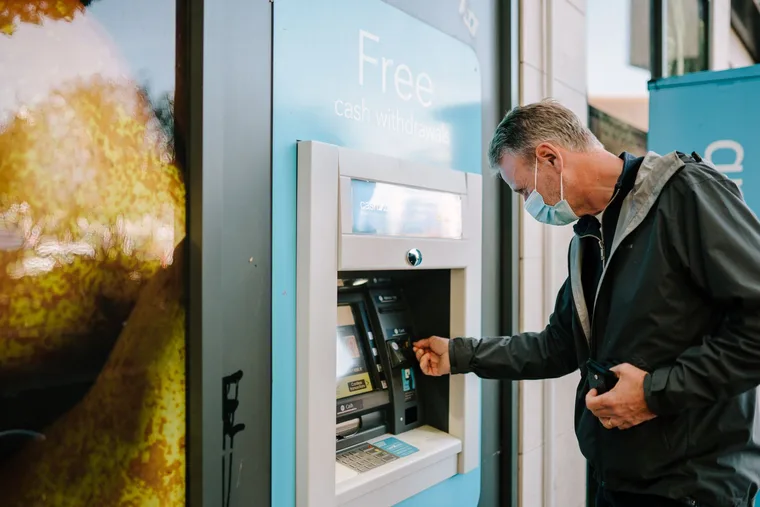
Never Pay a Bank Fee Again: The Complete Playbook
CD Ladders Explained: Lock In Rates Without Locking Up Your Life
The Emergency Fund Guide: How Much, Where, and How Fast
The Flourish Letter
One smart money idea each week, charts included. Join free and get the printable 2026 Money Calendar in your welcome email.