Key takeaways
- A market order prioritizes speed and usually fills fast, but it does not guarantee the price or even that the whole order fills, because thin liquidity or exchange protections can leave it partly done.
- A limit order guarantees your price or better, but not that the trade ever happens; how long it waits depends on the time in force you choose, such as good till canceled.
- Market orders can slip to a worse average price on large or thinly traded coins, and most exchanges will not let you cancel them once placed.
- Order type usually changes your fee too: market orders pay the higher taker fee, while a resting limit order typically earns the lower maker fee. A limit order priced so it fills instantly counts as a taker, so a post only option is what locks in the maker fee by forcing the order to rest or be canceled rather than fill as a taker.
- A badly typed limit price is not always harmless: a buy limit set too high or a sell limit set too low can fill instantly at unfavorable prices.
- No order type protects you from crypto's core risks: there is no FDIC or NCUA insurance, and prices can swing violently (CFPB).
The first time you buy crypto on a real exchange, the screen hands you a small decision that almost nobody explains. There is a box where you type how much you want, and then there are two tabs sitting right next to each other. One usually says Market. The other says Limit. They look like twins. They are not. Picking the wrong one at the wrong moment can quietly cost you money, every single trade, for as long as you keep crypto.
This is not an advanced trading lesson, and you do not need to care about candlestick charts or any of that. This is the plain version for a regular person who just wants to buy a little Bitcoin or Ether without getting nicked on the price. Once you understand what those two buttons actually do, you will never look at them the same way again.
The whole thing in one sentence
Here is the idea you can carry around in your pocket. A market order prioritizes getting the trade done right now, but it does not promise you a price, and it does not even promise the whole order fills. A limit order promises the price you name, but not that the trade ever happens. That single trade off is the entire story. Everything else below is just the details of why it matters and when each one is the smarter move.
It is worth saying plainly up front, because a lot of guides get it wrong: a market order is not a magic guarantee that your trade completes. Most of the time it does fill, and it fills fast. But if there are not enough matching offers in the market, or if the exchange's own safety limits kick in during a wild moment, your market order can stop partway and leave you with only part of what you asked for. Speed is the thing a market order really buys you, not certainty.
Think about it the way you would think about a plane ticket. A market order is walking up to the gate and taking the next available flight at whatever the fare is. You are trying to leave right now. Usually there is a seat. On a packed day, though, you might only get part of your group on board. A limit order is setting a price alert and saying you will only fly if the fare drops to the number you picked. You might save real money, or the sale might never come and you stay home. Neither choice is wrong. They just serve different goals.
What a market order really does
A market order means take the best price available right this second and fill my order as far as the market allows. On most exchanges it is the default, the fast lane, the one the app nudges you toward. You tap buy, it executes in a blink, and the coins show up in your account. For a lot of people, most of the time, that is completely fine.
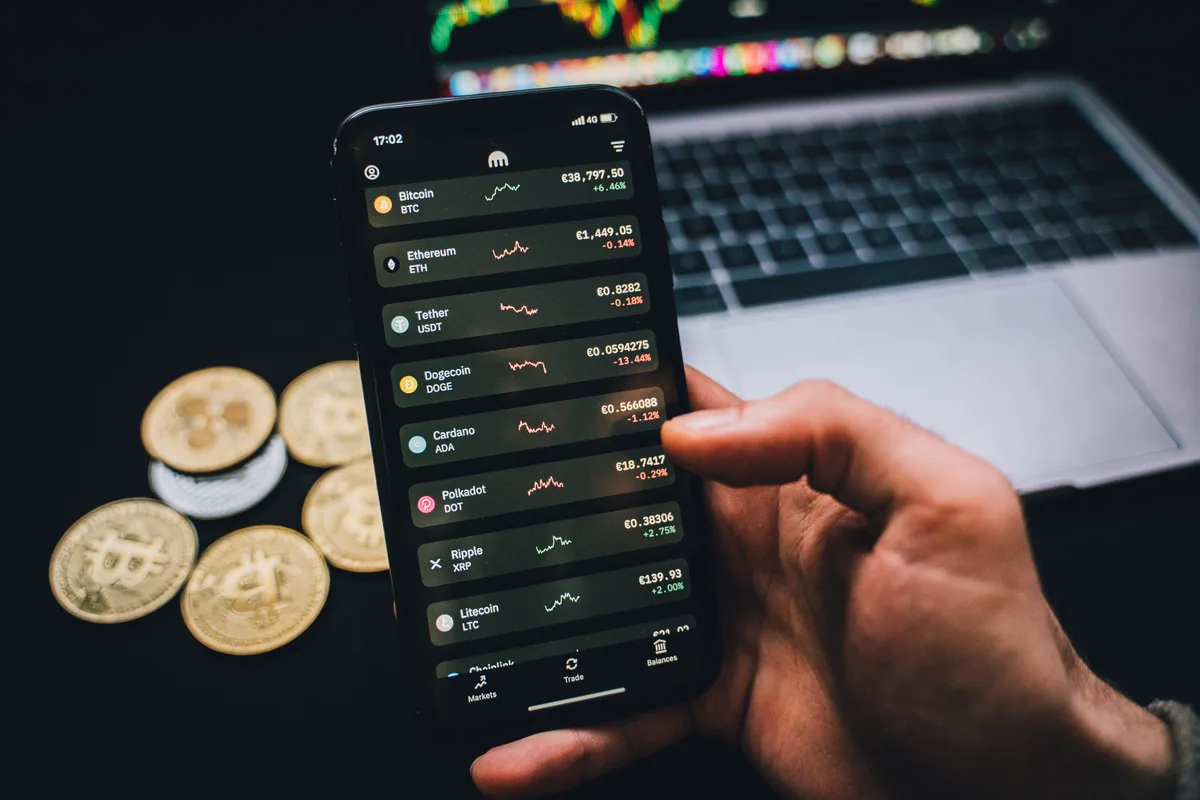
But a few things happen behind that blink that are worth knowing. First, the price you see quoted is not a promise. It is a snapshot. The real price comes from an order book, which is a live list of everyone else willing to buy and sell right now. Your market order eats the cheapest sell offers first, then the next cheapest, then the next. If your order is small and the market is busy, you barely move. If your order is large or the coin is thinly traded, you climb up the price ladder and your average cost ends up higher than the number you first saw. That gap between the price you expected and the price you got is called slippage, and it is the number one hidden cost of market orders.
Second, you generally cannot cancel a market order. Coinbase spells this out plainly in its own help material: market orders fill right away and cannot be canceled, and they can be partially filled at several different prices as they sweep the book (Coinbase). So there is no take backs. Once you tap it, it is done, for whatever portion actually fills.
Third, good exchanges build in a seatbelt, and that seatbelt is the reason a market order is not a guarantee of full execution. Coinbase, for example, applies a 10% market protection point on market orders for non stable pairs, which means if filling your order would push the price more than 10% away from where it started, the order stops and returns a partial fill instead of running wild. For stable pairs, where the two coins are meant to track each other closely, the threshold is tighter at a 1% protection point (Coinbase). Either way, the protection does its job by refusing to finish the trade past the limit. That saves you from a truly ugly fill during a chaotic moment, but it also means thin liquidity or a sharp spike can leave your order only partly done.
What a limit order really does
A limit order means I will only trade at the price I name, or better. You set the number. If you are buying, the order fills only at your price or lower. If you are selling, it fills only at your price or higher. The exchange parks your order in the book and waits. If the market comes to your number, you trade. If it does not, you keep waiting.
Coinbase uses a tidy example to show the appeal. Say the market would cost you about 6,200 dollars to buy a tenth of a Bitcoin right now. You could instead set a limit order to buy that same tenth at a price that works out to 6,000 dollars, and if the market dips to your number, you pay 6,000 plus fees instead of 6,200 (Coinbase). You named your price and the market met you there. That is the dream scenario.
Now the catch, because there is always a catch. Your limit order only fills if the market actually reaches your price. There is no guarantee it ever will. You might set a buy at 6,000 and watch the coin climb to 7,000 and never come back. How long the order keeps waiting is up to you. If you place it as a good till canceled order, it rests in the book until it fills or until you cancel it. Many exchanges, Coinbase included, also let you attach a time in force instruction, so you can tell the order to expire on a date and time you choose, or to cancel immediately if it cannot fill right away. A limit order can fill all at once, fill in pieces over hours, fill at four in the morning while you sleep, expire untouched, or sit there until you pull it. That is the price of price control.
The fee twist most people never notice
Here is the part that surprises people, and it is the strongest practical reason to care about any of this. On most order book exchanges, the type of order you place changes the fee you pay, not just the price you get. Exchanges run what is called a maker taker fee model.
Kraken explains the logic cleanly. An order earns the lower maker fee when it is not matched immediately and instead rests on the order book adding liquidity. An order pays the higher taker fee when it is matched right away against something already sitting there (Kraken). A market order, by its nature, always takes. So a market order pays the taker fee basically every time. A limit order that rests before it fills usually earns the cheaper maker fee.
Read that twice, because it means the fast button can cost you twice on the same trade. You might pay a worse price from slippage and a higher fee from being a taker. The patient button can hand you a better price and a lower fee. The exact gap depends on the platform and your trading volume, so I am not going to pretend there is one universal number, but the maker fee is routinely a good bit lower than the taker fee on the same trade.
One honest warning so you do not get tripped up. A limit order does not automatically earn the maker fee. If you set your limit price on the wrong side of the market so it fills instantly, it counts as a taker and pays the taker fee anyway. Kraken offers a fix called a post only or post limit option. Turning it on guarantees your order either rests on the book and earns the maker fee, or gets canceled before it can fill as a taker, so in that case no order is placed at all (Kraken). In other words, post only is the thing that locks in the cheaper maker fee rather than something that takes it away. If you see that checkbox and your whole goal is the lower fee, it is worth using.
The chart above uses made up round numbers to show the shape of the thing, not any one exchange's real rates. The point is simply that the gap grows with the size of your trade. On small amounts the difference is a cup of coffee. On larger amounts, the same coins for a meaningfully smaller fee starts to matter, and it repeats every time you trade.
When a market order is the right call
I do not want to leave you thinking market orders are a trap to avoid. They are a tool, and sometimes they are exactly the right tool. Reach for a market order when getting the trade done quickly matters more than squeezing the last few dollars out of the price.
- - Your order is small relative to how actively the coin trades, so slippage will be tiny and a full fill is very likely.
- - You want in or out right now and you are comfortable with whatever the current price turns out to be.
- - You are selling because you need the cash, and speed beats a slightly better price that might never arrive.
- - The coin is a large, heavily traded one like Bitcoin or Ether, where the book is deep and the quoted price is reliable.
In those cases the convenience is worth it, and the cost difference is often small enough that chasing a limit order is not worth the hassle or the risk of never filling. Just keep in the back of your mind that even here, a sudden lack of offers can leave a big market order partly unfilled.
When a limit order is the smarter move
Lean toward a limit order when price control and lower fees matter more than instant gratification. That covers more everyday situations than people expect.
- - You have a specific price in mind and you are happy to wait for it rather than take whatever shows up.
- - Your order is large enough, or the coin thinly traded enough, that a market order would move the price against you.
- - You want the cheaper maker fee and you are not in a rush.
- - You do not want to babysit the screen all day, so you set your price, place the order, and let it work while you live your life.
A limit order is also a calmer way to trade. Deciding your price in advance, when you are thinking clearly, protects you from the panic tap during a scary green or red candle. You set the rule once and let it hold the line for you.
How to place a limit order without tripping over it
If you have only ever used the simple buy button, the limit screen can look busy. It is not complicated once you know what each field wants. The flow above walks through it, and here is the same idea in words.
You pick the trading pair, something like BTC and your local currency. You switch to the limit tab. You type the price you are willing to pay, which for a buy you usually set at or a little below the current price. You enter the amount, and the screen shows you the total it would cost if the order fills, including fees, so there are no surprises. If there is a post only option and your goal is the lower maker fee, you turn it on. You can also set how long the order should live, from good till canceled to a set expiration. Then you review and place it. After that, the order rests in the book and you can cancel or edit it any time before it fills, which is a freedom a market order never gives you.
One small habit that saves grief: double check the price field before you confirm. Fat fingering an extra zero on a limit price is a classic rookie mistake, and here is why it is not harmless. People assume a wrong price just means the order quietly sits there and never fills. It can easily go the other way. If you set a buy limit far above the current price, or a sell limit far below it, the order is immediately willing to trade against whatever is already resting in the book, so it can fill right away and sweep through several price levels. You can end up buying high or selling low in a blink, at the worst prices available. The exchange's protection point may cap part of that damage, but it will not undo a bad limit you typed on purpose. So treat that price box with respect and read it twice before you tap.
The third button nobody warns you about
There is a sneaky third option that is not really an order type at all, and it is the one most beginners actually use first. It goes by names like instant buy, the simple buy widget, or the big friendly button on the app's home screen. It feels like the easiest path, and it is, but it usually carries its own markup baked into the price, separate from the maker and taker fees on the real trading screen.
Kraken, for instance, notes that trades placed through its instant buy feature come with additional processing fees and do not even count toward the trading volume that earns you lower fees over time (Kraken). In plain terms, the convenience button is often the most expensive door into the same coins. If you are buying any meaningful amount, learning the limit order screen once can pay for itself quickly compared to tapping instant buy over and over. If you want the broader walk through of doing this safely, our guide to buying crypto safely covers the account setup side.
A small habit that adds up
None of this is about timing the market or being clever. It is about not leaking money on the mechanical part of every trade. The price you pay and the fee you owe are the two things you can actually influence with a single tap, and they repeat for years. Shaving a little off each buy, and buying on a steady schedule rather than on impulse, is the boring stuff that quietly compounds.
The calculator below is a plain illustration of that compounding idea, using numbers you choose. It is not a forecast, and it is not specific to any coin or price. It just shows how steady contributions can grow over time at an assumed rate, so you can see why the small, repeatable decisions are the ones that matter.
Slide the inputs around and you will notice the shape never changes much: the regular monthly habit and the number of years do most of the heavy lifting. That is the real lesson. The order button decision is a small, smart edge you apply to a bigger habit that you keep up over time.
Keep your expectations honest
A better fill and a lower fee are nice, but they do not change the fundamental risks of holding crypto, so I would be doing you a disservice to skip this part. The Consumer Financial Protection Bureau has warned for years that crypto accounts are not insured by the FDIC or the National Credit Union Share Insurance Fund, which means if the company holding your coins fails, the government will not cover your loss the way it would for a bank deposit (CFPB).
The same guidance flags how violently prices can swing. The CFPB pointed to Bitcoin falling as much as 61% against the dollar in a single day in 2013, and as much as 80% in a single day in 2014, as examples of the volatility buyers should be ready to stomach (CFPB). A limit order can protect you from a bad fill. It cannot protect you from a market that drops 30% next week. Those are different problems, and no order type solves the second one.
So use the knowledge for what it is good for. Market order when you want speed and you accept whatever price the book gives you, knowing a big order can still fill only partway. Limit order when you want price control and the lower fee and you can afford to wait. Skip the pricey instant buy button once you are comfortable. And size your crypto to an amount you could watch swing hard without losing sleep, because that part is on you, not on which tab you tapped.
That is the whole playbook. Two buttons, one trade off, and a handful of moments where knowing the difference keeps a little more of your money in your pocket. It is one of the rare bits of crypto that is genuinely simple once someone just tells you straight.
Crypto punishes guesswork faster than any market on Earth.
Volatility is survivable. Not knowing what you own is not. The Financial IQ Test measures your actual money knowledge, from market basics to risk math, so your conviction is built on understanding instead of a feed full of hype.
Test your Financial IQQuestions people ask
Is a limit order always cheaper than a market order?
Usually, but not automatically. A limit order earns the lower maker fee only if it rests on the order book before filling. If you set the price so it fills instantly, it counts as a taker and pays the higher fee anyway. A post only option, offered on platforms like Kraken, guarantees your order either rests and earns the maker fee or gets canceled rather than filling as a taker, so it is the setting that locks in the cheaper fee.
What happens if my limit order never fills?
Nothing is lost. The order sits in the order book at your chosen price and only trades if the market reaches your number or better. How long it waits depends on the time in force you set. A good till canceled order stays open until you cancel it. Coinbase and other exchanges also let you choose instructions such as an expiration date or an immediate or cancel order, so the order does not have to rest forever unless you want it to.
Can I cancel a market order after I place it?
Generally no. Coinbase states that market orders fill immediately and cannot be canceled, and they may fill in pieces at several different prices as they move through the book. If you want the ability to cancel or edit before execution, use a limit order instead.
Does a market order guarantee my trade goes through?
Not fully. A market order is built for speed and usually fills quickly, but it does not promise the entire order completes. If there are not enough matching offers, or if an exchange safeguard kicks in, the order can stop partway and only partially fill. Coinbase, for example, uses a protection point that halts a market order once it would move the price too far, returning a partial fill rather than running wild.
Is the instant buy button the same as a market order?
Not exactly. The simple instant buy widget is a convenience feature that often bakes an extra markup into the price, separate from the maker and taker fees on the trading screen. Kraken notes its instant buy carries additional processing fees and does not count toward the volume that lowers your fees over time. For larger purchases, the regular order screen is usually cheaper.
Does a limit order protect me from a price crash?
No. A limit order only controls the price at which you enter or exit a single trade. It does nothing to stop the market itself from falling after you own the coins. The CFPB has warned that crypto prices can move dramatically, citing single day Bitcoin drops of as much as 61% in 2013 and 80% in 2014, so order type and overall risk are two separate things.
Keep reading
Bitcoin Explained for Normal People (2026 Edition)
The Crypto Scam Field Guide: Every Major Con and How to Spot It
Crypto Taxes in 2026: What You Actually Owe the IRS
The Flourish Letter
One smart money idea each week, charts included. Join free and get the printable 2026 Money Calendar in your welcome email.