How to Save Money on Modem and Router Rental Fees (2026)
Key takeaways
- A typical ten to fifteen dollar monthly modem or gateway rental costs one hundred twenty to one hundred eighty dollars a year, and several times that over a multi-year stay.
- Divide your equipment purchase price by the monthly rental to estimate break-even; many DOCSIS 3.1 modem plus Wi-Fi 6 router kits pay for themselves in about twelve to eighteen months.
- Cable needs a compatible DOCSIS modem you can own; fiber usually keeps the ISP ONT and only lets you replace the Wi-Fi router side.
- Always buy from your ISP's current approved list, activate before you return leased gear, and keep return receipts until the rental line disappears from your bill.
- Renting can still make sense if you move often across technologies, your plan truly bundles equipment at zero extra cost, or your stay is shorter than the payback window.
- Automating the freed rental dollars into savings turns a vanished fee into a visible cushion instead of loose checking-account cash.
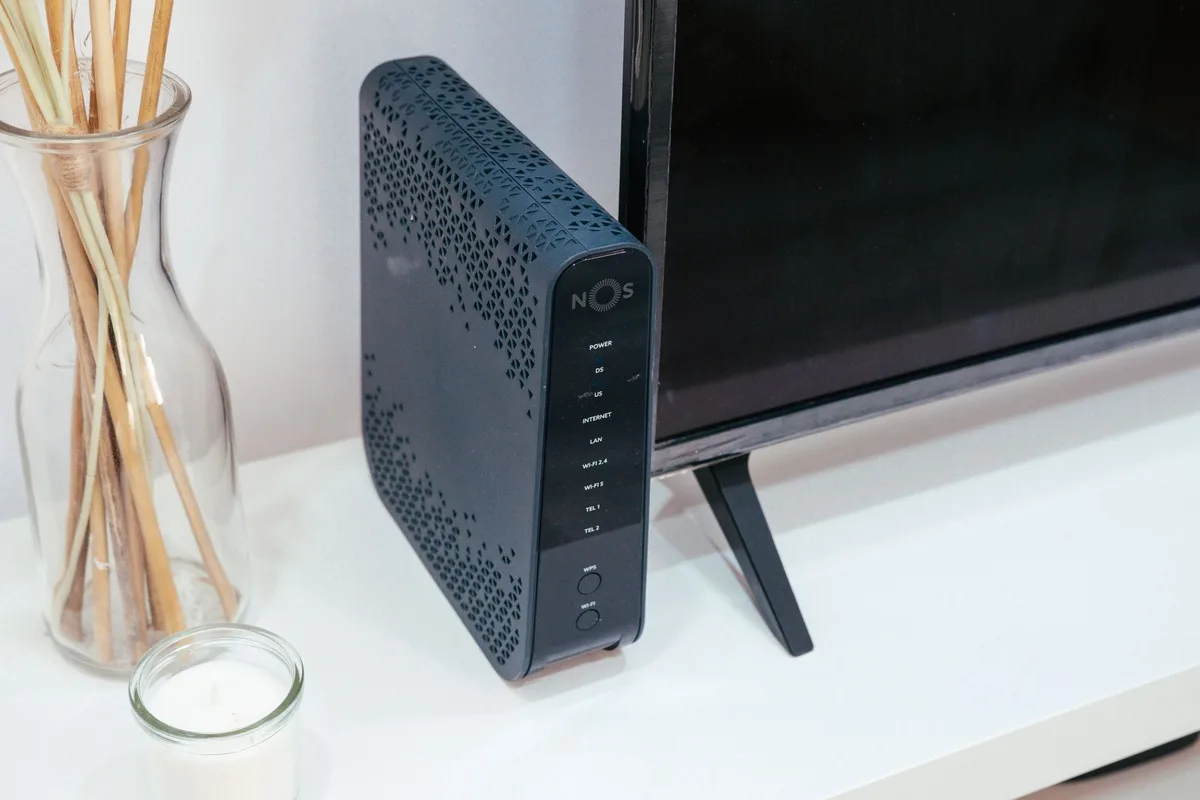
Look at last month's internet bill the way a detective would. Under the plan price, somewhere between taxes and "network enhancement" language, there is often a quiet line that says modem rental, gateway lease, Wi-Fi equipment, or something equally bland. Ten to fifteen dollars. Maybe more if you also pay for an extender. It looks small next to the service charge. It is not small over time. At fourteen dollars a month you are paying one hundred sixty-eight dollars a year for a box that often costs less than two hundred dollars to own outright, and the meter never stops.
This guide is the practical map for ending that fee, or deciding on purpose that renting still makes sense for you. We will do the break-even math with clean numbers, explain what cable DOCSIS and fiber ONT setups actually require, walk through what to buy and how to set it up, cover ISP approval gotchas, talk about mesh Wi-Fi when your home needs it, and name the cases where keeping the rental is the smarter move. The goal is education you can act on, not a product pitch. Every example uses realistic 2026 USD figures and arithmetic you can check.
Why rental fees add up faster than they feel
Internet equipment rental is a classic subscription trap. The monthly number is designed to feel like pocket change. The annual and multi-year totals are not. A common gateway rental of fifteen dollars a month is one hundred eighty dollars a year. Over five years that is nine hundred dollars for hardware that usually depreciates into the low hundreds, if that. Over a decade it can top one thousand eight hundred dollars for boxes you never own and must return when you move or cancel.
The FCC's broadband consumer labels were built partly so these fees stop hiding. Provider monthly fees such as modem rentals must be disclosed on the label alongside the plan price, which means you can comparison-shop the equipment line the same way you shop speeds. The Bureau of Labor Statistics also folds internet rental equipment into how it measures residential internet prices in the Consumer Price Index, which is a quiet reminder that equipment charges are a real piece of what households pay for connectivity, not a footnote.
There is a second cost that rarely shows up on the rental line: you are stuck with whatever the ISP issues. Older gateways, crowded Wi-Fi channels, and firmware that updates on the provider's schedule can leave performance on the table. Buying your own gear does not magically create faster internet than your plan allows, but it often gives you a newer Wi-Fi standard, better placement options, and control over security updates. The savings are the headline. Better control of the home network is the quiet bonus.
Rent versus buy: the break-even math
The decision is not philosophical. It is a payback calculation. Divide the all-in purchase price of compatible equipment by your monthly rental fee. That quotient is roughly how many months until ownership wins, ignoring tax and shipping. After that month, every rental dollar you no longer pay is pure savings.
Work a few realistic cases. Suppose your bill shows a fourteen dollar modem and router rental and you can buy a compatible DOCSIS 3.1 modem for about ninety dollars plus a solid Wi-Fi 6 router for about one hundred ten dollars. That is two hundred dollars upfront. Two hundred divided by fourteen is about 14.3 months. In year two and beyond you keep the fourteen dollars every month. Over five years, renting costs eight hundred forty dollars. Owning costs about two hundred plus any eventual replacement. The gap is roughly six hundred forty dollars in that window alone.
Raise the rental to fifteen dollars and the same two hundred dollar kit pays back in about 13.3 months. Drop the kit to a one hundred sixty dollar combo and a twelve dollar rental pays back in about 13.3 months as well. Stretch either scenario to seven years and ownership usually wins by several hundred dollars even if you replace the router once for one hundred twenty dollars midstream. The math favors buying for most households that stay put for more than about a year and a half.
One honest adjustment: if you move every year and your next address may use a different ISP technology, a short rental can be rational. The break-even clock resets when the equipment cannot follow you. Treat rentals as a mobility fee in that case, not as a permanent default.
Cable DOCSIS versus fiber ONT: what you actually need
Not every "modem" problem is the same problem. Cable broadband and fiber-to-the-home use different hardware, and buying the wrong box wastes money.
On cable, the device that talks to the ISP is a cable modem built to the DOCSIS standard. CableLabs publishes the DOCSIS specifications that define how those modems work. In 2026, DOCSIS 3.1 is the workhorse for most gigabit-capable cable plans. Older DOCSIS 3.0 modems may still activate on some networks, but they can bottleneck higher tiers and may fall off approved lists as providers push capacity. DOCSIS 4.0 gear is arriving on some networks, yet 3.1 remains the practical buy for most households unless your ISP explicitly requires or recommends a 4.0 model for your tier. A modem alone does not create Wi-Fi. You still need a router, or you buy a gateway that combines modem and Wi-Fi in one shell.
On fiber, the picture changes. The ISP typically installs an optical network terminal, often called an ONT, that converts light on the fiber into Ethernet. You usually do not buy or replace the ONT yourself. What you may rent is a Wi-Fi router or gateway that plugs into the ONT. Many fiber customers can return that router, plug their own router into the ONT's Ethernet port, and drop the rental. Some providers still push a managed gateway for voice service, parental controls, or "whole home Wi-Fi" packages. Read the label and the equipment policy before you assume the rental is optional.
DSL and fixed wireless have their own modem or outdoor-radio quirks. Always start with your ISP's published compatible-equipment list for your exact plan and technology. A great DOCSIS 3.1 modem is useless on a fiber jack, and a beautiful Wi-Fi 7 mesh will not replace a cable modem you still need behind it.
What to buy: a practical shopping brief
Shop in this order: confirm technology, confirm approved models, then buy the least expensive gear that meets your speed tier and home layout.
- Cable modem only. Match DOCSIS version and channel capacity to your plan. For many mid and gigabit cable tiers, a well-reviewed DOCSIS 3.1 modem in the eighty to one hundred fifty dollar range is enough. Prefer models that appear on your ISP's current approved list, not last year's forum post.
- Separate router. A Wi-Fi 6 or Wi-Fi 6E router in the one hundred to two hundred dollar range covers most apartments and modest homes. Buy Wi-Fi 7 only if you have multi-gig service, lots of modern clients, and a clear reason. Specs are not savings if you never use them.
- Gateway combo. One box is simpler and often cheaper upfront, but when Wi-Fi ages out you may replace the whole unit. Separate modem plus router lets you upgrade Wi-Fi without touching the modem.
- Mesh nodes. Large homes, thick walls, and multi-floor layouts often need mesh. Budget another one hundred fifty to three hundred fifty dollars for a two or three node kit if a single router cannot cover dead zones. Mesh does not replace a cable modem on coax. It sits behind it.
Skip "ISP exclusive" marketing stickers as a quality signal. Compatibility is the signal. Also skip used modems unless you trust the seller and can confirm the unit is not locked to another account. Stolen or still-provisioned hardware can create activation headaches that erase any bargain.
Setup checklist: from box to working Wi-Fi
Most self-installs take under an hour if you prepare. Do the paperwork before you cut the coax.
- Photograph your current bill and equipment labels. Save the account number, the rental line description, and the MAC addresses on the old and new devices. You will need them on the phone or chat.
- Confirm return rules before you disconnect. Ask how to stop the rental charge, where to return the leased gear, and what unreturned-equipment fees look like. Get a confirmation number in writing when you can.
- Activate the new modem on the ISP's schedule. Many providers want you to start activation online or by phone while the new modem is connected. Follow their script. Power-cycle the modem after provisioning if speeds look wrong.
- Connect the router. Modem LAN to router WAN. Give the router a few minutes. Set a unique admin password, update firmware, and create a Wi-Fi name that is not the default brand string.
- Move devices and test. Rejoin phones, TVs, and consoles. Run a wired speed test at the router and a wireless test in the rooms you care about. Compare against your plan's advertised typical speeds on the broadband label.
- Return the leased gear and verify the bill. Keep the shipping receipt or store drop-off proof for at least a few billing cycles. Watch the next statement for the rental line to disappear. If it does not, call with your confirmation numbers ready.
If activation fails, the usual culprits are an unapproved model, a MAC address the ISP has not released from a prior account, or a coax or fiber handoff that still expects the old device. Stay calm, stay on the chat transcript, and do not throw away the old rental until the new path is stable and the return window is clear.
ISP approval gotchas that waste money
Compatibility lists change. A modem that worked in 2023 may be barred from new activations in 2026 even if it still functions for existing customers. Always check the live list for your provider and tier the week you buy. Retail packaging that says "works with major cable providers" is marketing, not a guarantee for your account.
Some ISPs allow bring-your-own modem but still charge for "Wi-Fi service," security suites, or extenders you never requested. Read the broadband label's provider monthly fees section and your latest bill line by line. The Television Viewer Protection Act style transparency rules and related equipment-charge protections in federal law aim to stop billing for equipment you were never given or already returned, but you still have to catch the line and dispute it. If a charge will not move after you work the provider, the FCC's informal complaint process is a documented next step many households use for billing and equipment disputes.
Voice over coax or special TV packages can complicate a clean swap. If your phone service rides the same gateway, ask whether a separate modem breaks voice, and what adapter or alternate path the ISP supports. Do not discover that after you have already returned the leased box.
When your home needs mesh (and when it does not)
A single strong router placed centrally beats a weak gateway shoved in a basement utility closet. Before you buy mesh, try relocating the router to a higher, more central shelf, elevating it off the floor, and reducing interference from cordless phones and dense appliance walls. Many "Wi-Fi problems" are placement problems.
Buy mesh when you have persistent dead zones after placement fixes, when the home is large or split across floors, or when outdoor coverage and home offices at opposite ends of the house both matter. Prefer a system that lets you add nodes later. Keep the modem and primary router relationship clear in your head: on cable, modem first, then mesh primary, then satellite nodes. On fiber with your own router, ONT to mesh primary, then nodes.
Mesh raises the upfront cost and stretches the break-even timeline. If rental is fifteen dollars a month and you spend four hundred dollars on modem plus mesh, payback is roughly twenty-seven months. That can still be a win over a five-year stay, especially if the rental included extenders at five dollars each. Run your numbers before you treat mesh as automatic.
Security updates and the ownership tradeoff
Rented gateways get firmware when the ISP pushes it. Owned routers get firmware when you install it, or when auto-update is enabled and the vendor still supports the model. Ownership shifts responsibility to you. That is not a reason to keep renting forever. It is a reason to buy from vendors with a clear update history, turn on automatic updates, change default passwords, and replace gear that has aged out of security support.
Basic hygiene goes a long way: unique admin password, WPA3 or at least WPA2 for Wi-Fi, guest network for visitors and smart plugs, and remote administration left off unless you truly need it. If a router has not seen a security update in years and the maker has ended support, treat replacement as maintenance, the same way you would replace a worn tire. The savings from ditching rental still usually leave room for one planned upgrade every few years.
When renting still makes sense
Buying is the default money win for stable cable households. Renting can still be rational in a few cases.
- You move often across different ISP technologies. A fiber router this year and a cable modem next year is two purchases for one lifestyle. A short rental can be cheaper than a closet of orphans.
- Your ISP bundles equipment at true zero extra cost. Some plans fold the gateway into the monthly price with no separate rental line. Buying then saves nothing unless the included gear is so poor that you would buy a router anyway for performance.
- You need provider-managed features that require their gateway. Certain voice, security camera, or support workflows still assume their device. Confirm whether alternatives exist before you force a swap.
- You are in a temporary housing situation measured in months, not years. If break-even is fourteen months and you leave in six, renting wins on pure cash.
Even then, read the bill. "Included" and "no equipment fee" should match the label and the statement. If a rental line appears after a promo ends, revisit the buy decision immediately.
Pitfalls that erase the savings
The most expensive mistake is buying incompatible hardware and eating restocking fees while the rental continues. The second is returning leased gear without proof, then paying an unreturned-equipment charge that can run into the hundreds. Photograph serial numbers, use tracked shipping or a counter receipt, and keep records through at least two clean bills.
A third pitfall is forgetting taxes and shipping on the purchase, then wondering why month twelve still feels underwater. Include them in the break-even. A fourth is stacking unnecessary add-ons: whole-home Wi-Fi rental, antivirus bundles, and extender leases that you can replace with one honest mesh purchase or better placement. A fifth is ignoring the broadband label when you shop plans. Two plans with the same speed can diverge by ten to fifteen dollars a month on equipment alone.
Finally, do not confuse ownership with unlimited speed. Your plan caps throughput. A fancy router cannot outrun a 300 Mbps tier. Buy for coverage, reliability, and fee removal first. Chase bleeding-edge Wi-Fi only when your devices and plan can use it.
Park the savings so they do not vanish
Canceling a fourteen dollar rental frees fourteen dollars. Left in checking, it usually dissolves into groceries and impulse buys. A simple approach many savers use is to automate a transfer of that amount into a high-yield savings account the day after the internet bill posts. In one year you have about one hundred sixty-eight dollars sitting in a named "equipment freedom" bucket. In five years of steady transfers you are looking at roughly eight hundred forty dollars of contributions before interest, which is a real emergency cushion built from a fee you used to shrug off.
Use the slider below to test your own rental amount, a savings target such as a replacement router fund, and a modest APY. The point is not that every household must invest the difference. The point is to see the fee as a cash-flow decision you can redirect on purpose.
Bottom line
Modem and router rental fees are small on any single statement and large across a lease, a mortgage, or a decade of staying put. Check the broadband label and your bill for the real monthly equipment charge. Confirm your technology, buy from the ISP's current approved list, set the gear up carefully, return leased equipment with proof, and verify the next statements. For most cable households the break-even lands somewhere around one to two years. Fiber customers often only need to replace the Wi-Fi side. Rent when your housing is temporary or the equipment is truly bundled at zero extra cost. Otherwise, ownership is one of the cleanest recurring wins in household finance: pay once, keep the monthly dollars, and put those dollars somewhere they still belong to you.
Everything you save starts with something you know.
Knowing how interest, insurance, and fine print really work is the discount that applies to everything for the rest of your life. The Financial IQ Test scores that knowledge across 90 tests and shows you where the expensive gaps are.
Test your Financial IQQuestions people ask
How much do ISPs usually charge to rent a modem or gateway?
Many US cable and some fiber plans show about ten to fifteen dollars a month for a modem, router, or combo gateway, and extra for Wi-Fi extenders. Exact fees vary by provider and promo, so read the equipment line on your bill and the provider monthly fees section of the FCC broadband consumer label for your plan rather than relying on a national average.
Will buying my own modem make my internet faster?
Not beyond what your plan allows. Ownership mainly removes the rental fee and can improve Wi-Fi coverage, features, and update control if your old rented gateway was weak or poorly placed. A new modem cannot exceed the speed tier you pay for, and an unapproved model may not activate at all.
Do fiber customers need to buy a modem?
Usually no. Fiber service relies on an optical network terminal, or ONT, that the ISP installs and typically owns. What you may rent is a Wi-Fi router plugged into that ONT. Many fiber households can return the rented router, connect their own, and keep the ONT in place.
What is DOCSIS and which version should I buy?
DOCSIS is the cable industry standard for how cable modems talk to the network, maintained through CableLabs specifications. In 2026, DOCSIS 3.1 is the practical choice for most gigabit-capable cable plans. Confirm your ISP's approved list for your tier before you buy, especially if the provider has begun DOCSIS 4.0 requirements on the highest speeds.
What if my bill still shows a rental fee after I returned the equipment?
Call or chat with the provider using your return confirmation, tracking number, or store receipt, and ask them to remove the fee and confirm the gear was received. If the charge remains unresolved, you can file an informal complaint with the FCC about billing or equipment issues. Keep photos of serial numbers and proof of return until you see two clean statements.
Is a mesh system required when I stop renting?
No. Try a single well-placed router first. Mesh helps large homes, multi-floor layouts, and stubborn dead zones after placement fixes. Remember that mesh adds upfront cost and lengthens break-even against a simple rental, so run the payback math before you treat mesh as mandatory.
Keep reading

50 Real Ways to Save Money in 2026, Ranked by Effort
The Subscription Audit: Find and Cancel Your Money Leaks

The Grocery Savings System: Cut Your Food Bill 25%
The Flourish Letter
One smart money idea each week, charts included. Join free and get the printable 2026 Money Calendar in your welcome email.